Clouds from a couple of days ago

Location: Community Blood Center
- Camera: Lumia 1020
- Taken: 4 December, 2013
- Aperture: ƒ/2.2
- ISO: 320
- Shutter speed: 1/60s

Location: Community Blood Center



Location: Graceway Baptist Church

To force Microsoft Office 2010 to activate manually open a command prompt (I assume with elevated privileges):
For 32bit:
cscript “C:\Program Files (x86)\Microsoft Office\Office14\ospp.vbs” /act
For 64bit:
cscript “C:\Program Files\Microsoft Office\Office14\ospp.vbs” /act
This is assuming that you’ve given Office a product key. I also think this will work for Office 2013 by changing the Office14 to Office15 because that same ospp.vbs script is present in my copy of Office 2013. I’m not sure if this works for retail versions of Office. I only deal with volume licenses in my environment.




By default right clicking on an icon on the Windows 8 start screen gives you the option to run an app as administrator but that just runs the app as the logged in user with elevated privileges.
What if you want to run the app as a totally different user? You have to tweak a local group policy to add it.
Press the Windows key and R to get the Run dialogue box.
Type: gpedit.msc
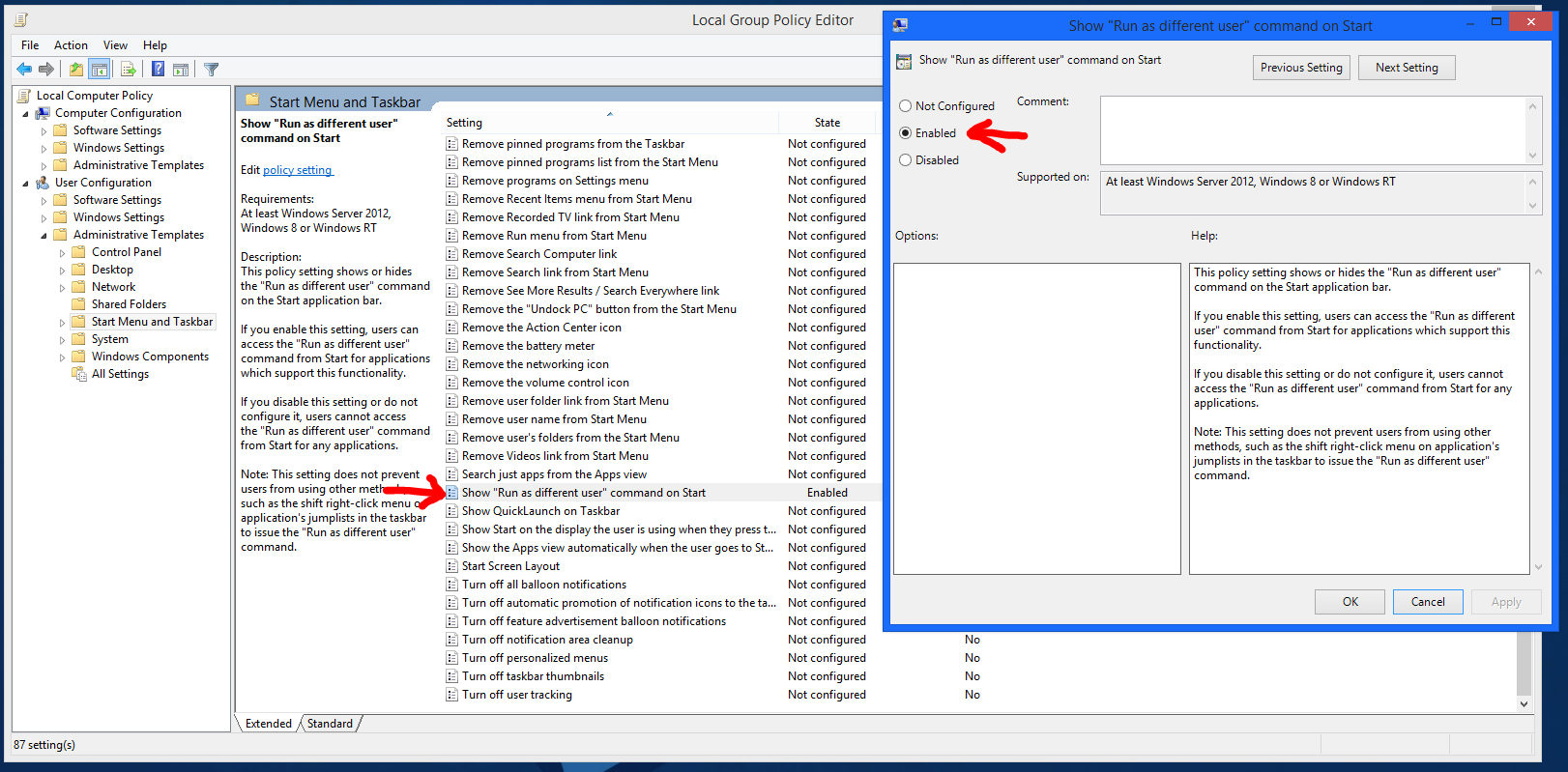
Navigate to User Configuration\Administrative Templates\Start Menu and Taskbar
In the right Window pane look for: Show “Run as different user” command on Start
If you click the Setting column it’ll sort the settings alphabetically.
Click Enabled then Ok.
To force the change to take effect press the Windows key and R again.
Type: gpupdate /force
Now you should see Run as Different User when you right click an icon on the start screen.

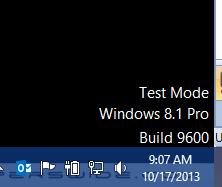
Windows 8.1 released today. I’ve been using it since they released it to Technet and MSDN subscribers last month. It’s had an annoying “Test Mode Windows 8.1 Pro Build 9600” message on the desktop since I installed it. I finally took time today to find out how to get rid of it.
Launch a command prompt as Administrator.
Type: bcdedit -set TESTSIGNING OFF
Reboot.
No more Test Mode message.
Update (10/20/2013): I’ve had one commenter say this doesn’t work for non-Pro versions of Windows 8.1. I haven’t verified this.