Magnetic platters




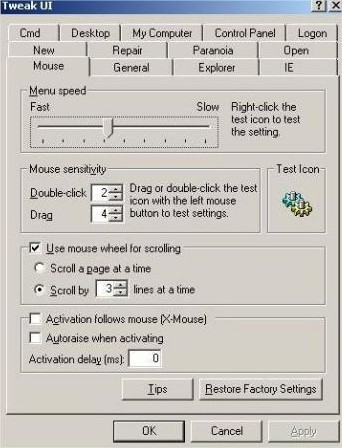
Every time I installed Windows XP (which I must have done a thousand times, literally) one of the first things I’d do is to install Tweak UI and adjust the mouse hover speed to 0 and turn off menu animations. If the computer was particularly slow I’d turn off cursor shadows and menu fading and combo box animations as well.
Android has a similar setting for changing the window and transition animation scale and the animator scale. By default these are set to 1x. I turn them to off but some people like to set them at .5x which speeds them up without loosing the fancy animation.
By default these settings are hidden in a developer options section. To get access to this area you go to the about device section in the settings and tap on the build number area 7 times. Sounds a little goofy but kinda fun at the same time. Once you do that you’ll have a new settings area called developer options. I haven’t messed with anything else in this area apart from the window and transition animation scale and the animator scale.
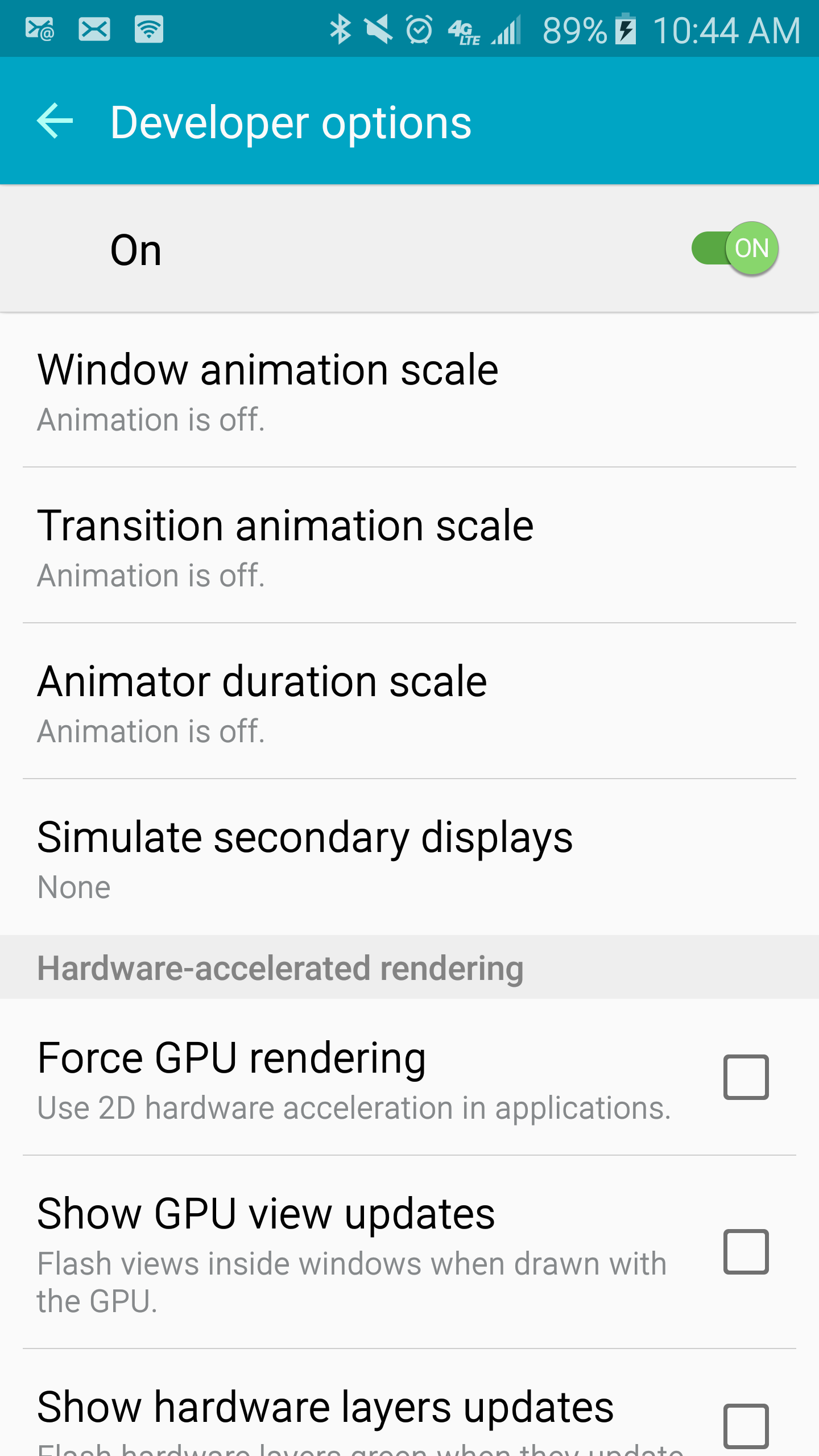
I have only tested this on the Samsung Galaxy S6 and can definitely tell a difference in moving around the system. Not that the Galaxy S6 is a slow phone by any means but I’d rather have the menus and windows just pop instead of looking pretty.
Original article is from Boy Genius Report